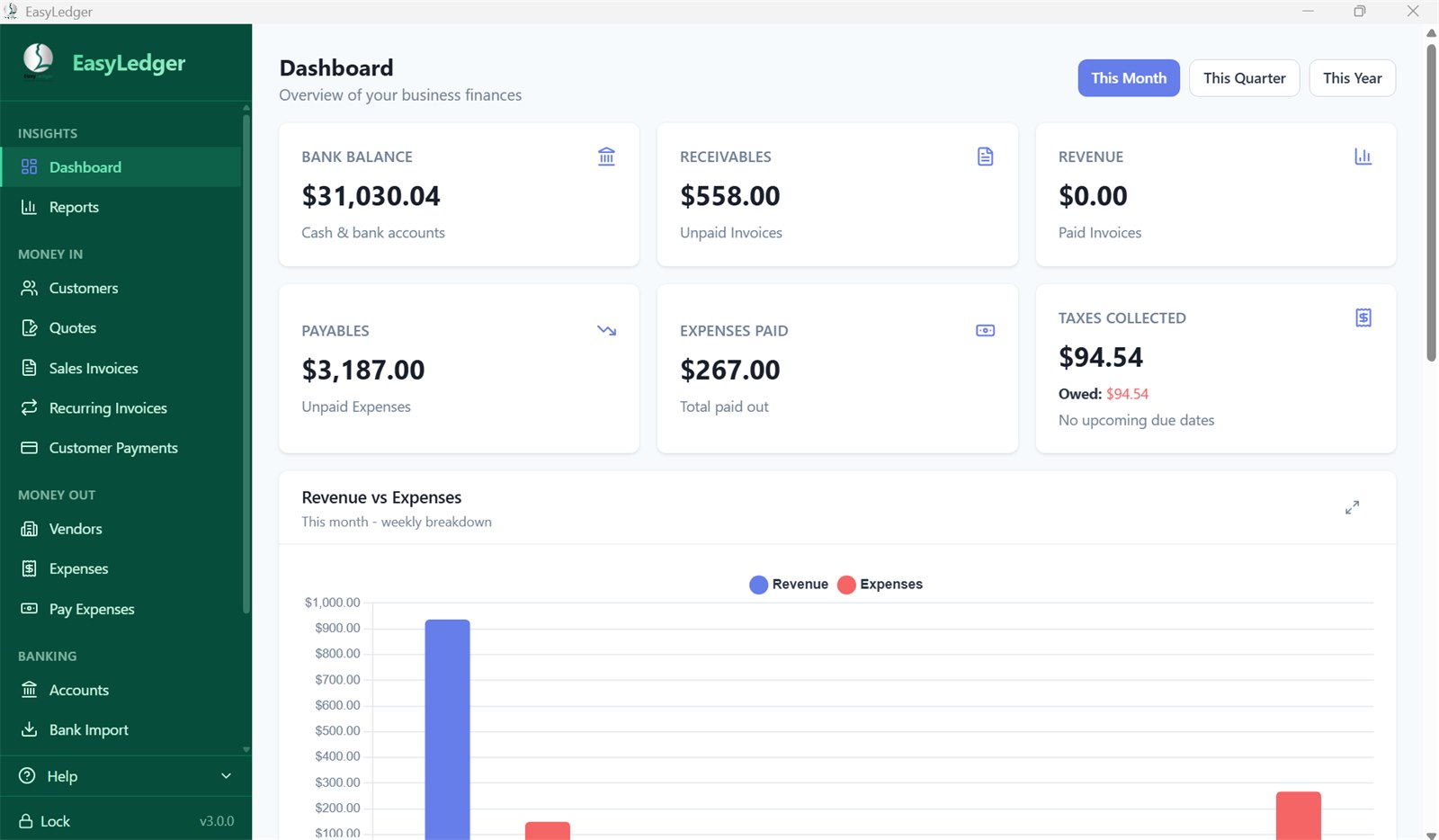
EasyLedger 3.0 is here, and it's the biggest release in EasyLedger's history. We rebuilt the app from the ground up on a new foundation, then used that foundation to add the features you've been asking for most: quotes, check printing, bank statement import, three new reports, receipts on expenses, and customer statements.
It still looks like the EasyLedger you know. The green sidebar, the layout and the pages are where you left them, so there's nothing to relearn. And if you already own EasyLedger, 3.0 is a free upgrade.
At a glance
- New: quotes and estimates that convert to invoices in one click
- New: check printing for your bills, on voucher or blank check stock
- New: bank statement import (CSV, OFX, QFX and QIF)
- New: balance sheet, cash flow, and sales by customer reports
- New: receipts on expenses, customer statements with aging, and documents that fit a window envelope
- Better: every amount stored exactly to the cent, daily automatic backups, and safe, automatic upgrades
- Free for every licensed EasyLedger user, with your license carried over automatically
Quotes and estimates
You can now send a quote before you do the work. Quotes get their own numbering, their own PDF and email, and a status you can track at a glance: draft, sent, accepted, declined or expired.
When a customer says yes, convert the quote to an invoice in one click. The invoice carries over the exact totals your customer agreed to, so there's no retyping and no surprises.
Print checks for your bills
Pay a bill by check and print the check right from Pay Expenses. EasyLedger fills in the date, payee, amount in figures and in words, memo and vendor address, and prints two stubs listing every bill the check pays. Paying several bills to the same vendor on the same day? They go on one check.
- Voucher check stock. Works with the standard voucher checks available from any bank or check supplier.
- Blank check stock. EasyLedger can also print the whole check: your company name, bank name, check number, signature line, and the MICR line along the bottom that your bank reads. A "sample for bank" check prints with a VOID overlay so your bank can approve it before you use it.
- Check numbers are tracked for each bank account and advance automatically. Reprint a check and it keeps its number; void one and it's marked VOID without touching the payment.
- Any printer. An alignment test page and printer adjustments in Settings line everything up.
Import your bank statements
Download a statement from your bank's website and import it straight into an account. EasyLedger reads CSV files (with column mapping, so any bank's layout works), plus OFX, QFX and QIF. It spots transactions you've already imported and skips them, and imported rows land ready for reconciliation.
Three new reports
- Balance sheet. A snapshot of what you have and what you owe on any date: cash and bank accounts, money customers owe you, credit card and loan balances, bills you owe, sales tax due, and equity.
- Cash flow. For any date range: the cash you started with, money in, money out, credit card and loan activity, and the cash you ended with. It always reconciles, and moving money between your own accounts isn't counted as income or spending.
- Sales by customer and description. Pick a customer (or all of them) and type part of a job description, like "roof repair." Every matching invoice line appears, grouped by customer with subtotals and a grand total.
All three use the same math as your dashboard and Taxes page, so the numbers match everywhere you look. Every report can be viewed on screen or exported to PDF or CSV.
Receipts and customer statements
Receipts on expenses. Attach a PDF, JPG or PNG receipt to any expense, even while you're still creating it, and open it with one click from the Expenses list. EasyLedger keeps its own copy of the file, so moving or deleting the original doesn't break anything, and your backups include your receipts.
Customer statements. Send any customer a statement of account showing every open invoice, what they've paid, what they still owe, and how overdue it is (current, 1–30, 31–60, 61–90 and 90+ days). Preview it, save it as a PDF, or email it directly.
Documents that fit the envelope
Invoices, quotes and statements now share one clean, modern design with your logo at the top, clear tables and bold totals. Fold one in thirds and the customer's address lands right in the window of a standard #10 envelope.
Documents and reports print on US Letter or A4. EasyLedger picks automatically (US Letter in the US and Canada, A4 elsewhere), or you can choose in Settings.
Faster everyday work
Dozens of smaller changes make day-to-day bookkeeping quicker:
- Type to search in every customer and vendor list. Type "smi" and the list narrows instantly.
- Smart autofill. Descriptions, references, and even city and state are suggested from your own history as you type. Picking a line description fills in the rate you last charged, and on expenses, the last amount and category.
- Duplicate an invoice in one click: same customer, lines and taxes, with a fresh number and today's date.
- Preview the exact PDF your customer will receive before you send it.
- Automatic recurring invoices. Switch a recurring invoice to automatic and EasyLedger creates it for you when you open the app.
- Undo deletes. Deleted something by mistake? You have 60 seconds to undo it, linked records included.
- Taxable or not, line by line. Mark any invoice or quote line as non-taxable, and tax is calculated on the taxable lines only.
- Vendor import. The CSV importer now handles vendors as well as customers.
- A cleaner line-item editor, with more space for descriptions and numbers lined up neatly.
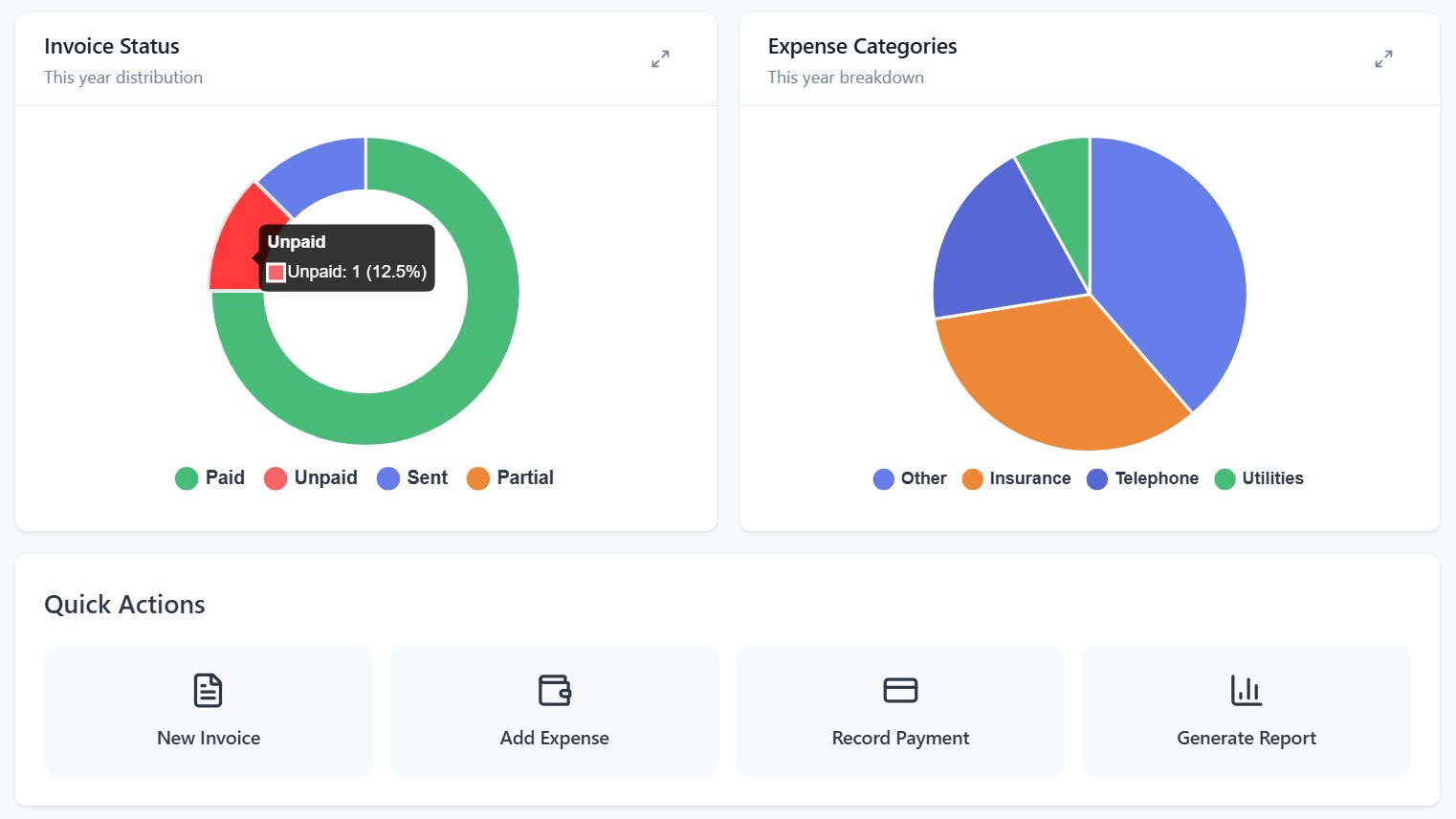
- A friendlier dashboard, with quick-action tiles and recent items you can click.
- Your currency. Choose the currency and number format EasyLedger displays.
Exact to the cent, underneath
The biggest change in 3.0 is one you won't see. EasyLedger now stores every amount as an exact number of cents, with one consistent rounding rule and one shared way of calculating totals. In practice, that means:
- Totals, taxes and reports always agree with each other.
- Reconciliations balance to exactly zero, not "within a penny."
- Exports show clean amounts, never stray decimals.
EasyLedger also saves only what changed instead of rewriting your whole file every time, so it's faster and easier on your computer. Your books are backed up automatically every day, with a Backup Now button whenever you want one. The newest ten backups are kept, and your receipts are included. Future updates will upgrade your data automatically, each one behind a fresh backup.
Fixed along the way
Rebuilding the app let us close some long-standing issues from 2.x:
- The dashboard's Bank Balance card now counts all your money-holding accounts. Some users saw $0.00 there before.
- Your company logo no longer disappears from PDFs if the original image file is moved or synced to the cloud. EasyLedger now keeps its own copy.
- PDFs print on US Letter automatically for US and Canadian users, instead of A4 for everyone.
- Customer import works on a brand-new company file, with no need to create a customer by hand first.
- The Pay Online button on emailed invoices now works for Stripe users.
- Deleting a customer can no longer affect your tax payment history.
- The automatic lock now locks EasyLedger when you step away.
- New users can enter last year's history before their first year-end close.
- A range of security improvements, and dozens of smaller fixes throughout.
Before release, 3.0 went through eight rounds of beta testing, including real 2.x company files converted by testers. More than 1,300 automated tests run on every build.
How to upgrade
Accept the update when EasyLedger offers it, or download 3.0 and install it over your current version. Here's what happens the first time 3.0 opens:
- A timestamped backup of your books is saved first.
- EasyLedger converts a copy of your books to the new format while a progress window shows how it's going. Your original 2.x data file is never changed.
- You'll see the license agreement, then your usual PIN login, and your books are there with balances matching.
Your license carries over automatically, with no re-activation.
EasyLedger 3.0 runs on Windows 10 or 11 (64-bit), macOS 12 (Monterey) or later, and Ubuntu 20.04 or later, the same as 2.1. New to EasyLedger? Download the free 30-day trial, no credit card required.
Questions or issues?
If anything doesn't look right after upgrading, reach out. We read every support email and we'll get back to you.