
The folder version
Most freelancers keep a folder rather than a system. It holds receipts, a few statements and whichever invoices were saved, and it gets opened in a hurry every April. The return gets filed, but the lost weekend has nothing to do with how hard the task is.
A system works differently in one respect. It does the sorting as money moves, so there is nothing to reconstruct later. The version below takes an afternoon to build and about 10 minutes a week to run.
Part 1. Three accounts
A business checking account is where client payments land, and nothing personal touches it. A tax savings account holds money set aside from each payment before you start thinking of it as income. An emergency fund covering roughly 3 months of expenses absorbs the gaps between uneven client payments.
Separation is the whole point of this step. When money meant for 3 purposes sits in one account, every balance you look at is a guess. With 3 accounts, each balance answers one question on its own.
Part 2. Split every payment the day it clears
One illustrative split sends 50% to your own pay, 30% to tax savings and 20% to the business. It is a starting point rather than a formula, because the right numbers depend on your margin, state taxes, filing status and deductions. Set the percentages with current figures and, ideally, an accountant.
Timing matters more than the exact percentages. Move the money on the day the payment clears, preferably with a standing transfer rule at your bank. The version of you who plans to do it at the end of the month rarely follows through.
Part 3. Capture expenses at the moment of purchase
Put every business purchase on one business card, so there is a single statement to reconcile instead of a hunt across several. Photograph the receipt at the counter, which takes a few seconds and ends the spring search through coat pockets. Assign a category and vendor during your weekly pass rather than trying to remember them months later.
At 10 minutes a week, the habit adds up to under 9 hours a year. Reconstructing a year of expenses from statements usually takes longer than that and produces a less accurate result. The weekly pass is the cheapest insurance in the whole system.
Part 4. Close the invoice loop
The part most freelance guides skip is getting paid on time. Every invoice needs a number, a due date and a record of whether it has been paid. Without those 3 facts in one place, late payments go unnoticed until cash runs short.
Check unpaid invoices during the same weekly pass and send a polite reminder when one passes its due date. Follow up again at 14 days and move to a phone call at 30. A consistent routine recovers money that a busy memory lets slide.
The operating rhythm
| When | Task | Time |
|---|---|---|
| Every payment | Split into pay, tax savings and business | 2 minutes |
| Every purchase | Business card, receipt photographed | Seconds |
| Weekly | Categorize expenses, check unpaid invoices, send reminders | 10 minutes |
| Monthly | Run profit and loss, review recurring charges | 20 minutes |
| Quarterly | Estimated tax payment | 30 minutes |
Financial systems are not complicated. They are boring.
Why boring is the design goal
None of the steps above is difficult, which is the reason they get skipped. Hard problems demand attention, while dull ones get postponed until they turn urgent. Nobody avoids categorizing receipts because the task is intellectually demanding.
The fix is to make each task small, scheduled and partly automatic. Standing transfers handle the split, a single card simplifies capture, and software holds the records so memory does not have to. What remains is a short weekly habit rather than an annual crisis.
Rent it, or own it
The tools inside the system are costs too, and a system built to keep costs visible should not quietly add a new monthly one. Accounting software sold by subscription charges for as long as you freelance. Software you own is paid for once and then drops off the expense list.
| Rent it | Own it | |
|---|---|---|
| How you pay | Every month, for as long as you work | Once |
| 5-year software cost | $1,200 (QuickBooks Solopreneur Lite) | $299 (EasyLedger) |
| Where the books live | Vendor cloud | Your computer, encrypted |
| If payments stop | Access set by the vendor | Licensed version keeps working |
For the full 5-year math across QuickBooks, Xero and Wave, see A Subscription Is Not a Price. It Is a Rate.
Build the system this afternoon. Try EasyLedger free for 30 days, no credit card required.
Where EasyLedger fits
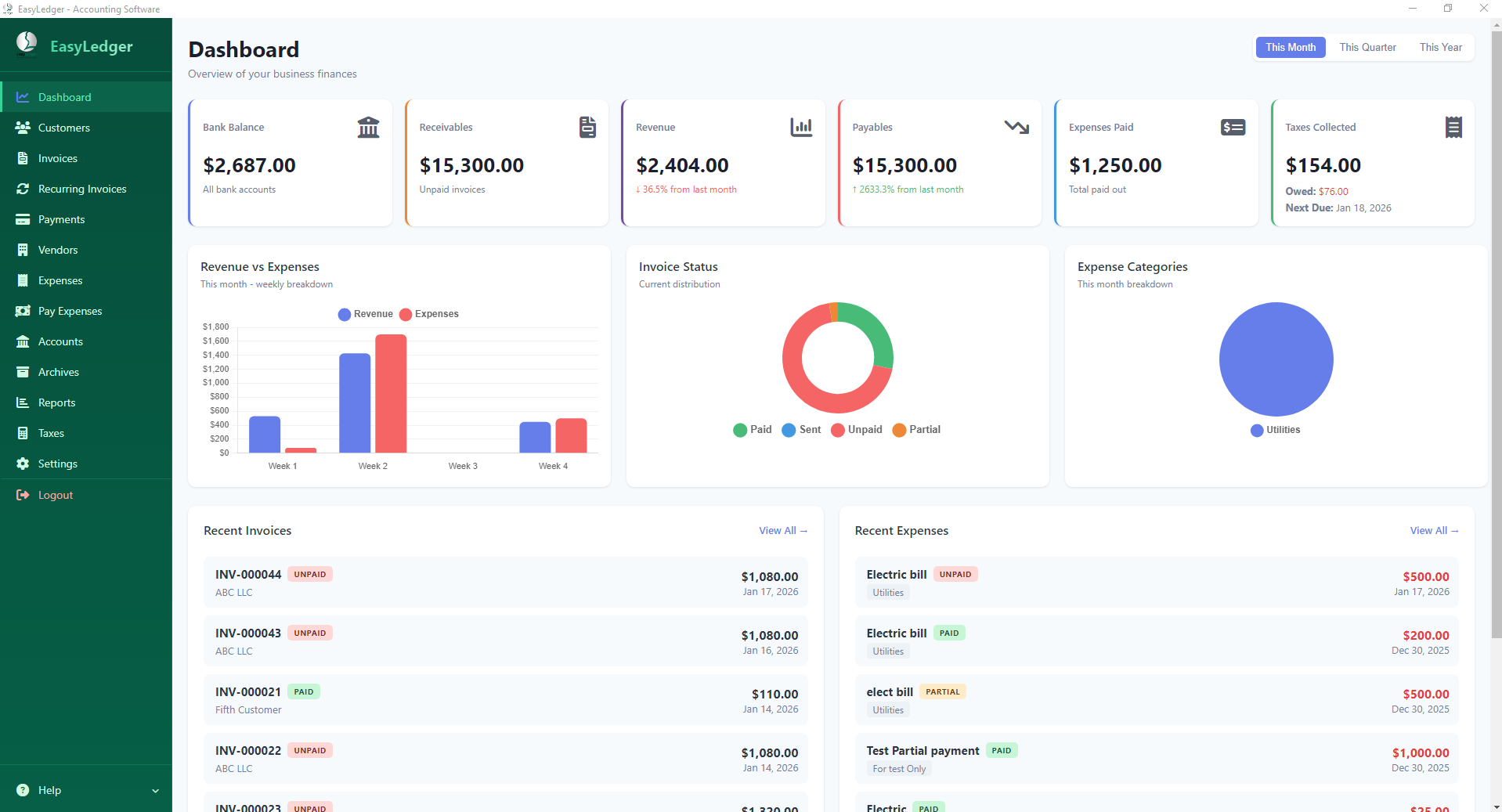
EasyLedger holds the records that Parts 3 and 4 depend on. Invoices get automatic numbers and PDF output, customer records track payment history and outstanding balances, and expenses sort by category and vendor. Profit and loss reports run on demand whenever the monthly review comes around.
About EasyLedger
EasyLedger is desktop accounting software for small businesses, freelancers and 1099 contractors. You buy it once for $299, your books stay encrypted on your own computer, and it runs on Windows, Mac and Linux. Try every feature free for 30 days, with no credit card required.
Build the system once. Let EasyLedger carry the invoices, expenses, customer history and reports that keep it running every week.
Frequently asked questions
How much should a freelancer set aside for taxes?
Thirty percent is a common planning starting point, not an IRS rule. The right figure depends on your profit, state taxes, filing status and deductions. Use Form 1040-ES or an accountant to set your own reserve.
How often should freelancers do bookkeeping?
A 10-minute weekly pass covers most freelancers: categorize expenses, attach receipts and check unpaid invoices. Add a monthly profit and loss review and a quarterly tax payment. Small, regular sessions beat one long reconstruction at year end.
What is the simplest accounting setup for a freelancer?
Three accounts, a standing split on every payment, one business card and software that numbers invoices and categorizes expenses. That covers income, taxes, spending and collections. Everything else is refinement.
When should I follow up on an unpaid invoice?
Send a polite reminder the day after the due date, a second at 14 days and a phone call at 30. Tracking payment status in one place makes the schedule easy to keep. Consistency matters more than tone.