Key takeaways
- Non-cloud accounting software is installed on your computer and saves your books there, not on a vendor's servers.
- Desktop does not mean subscription-free. Of the 5 programs here, 3 are sold by subscription, 1 is free and 1 is a one-time purchase.
- Several desktop programs still go online now and then to confirm a license. Check that before you count on working fully offline.
What "not cloud-based" actually means
Cloud accounting software runs in a web browser and stores your books on the vendor's servers. QuickBooks Online, Xero and Wave all work this way. Non-cloud software is a program you install on your own computer, and your books are saved in a file on that computer. You will also see it called desktop, installed, standalone, offline or non-web-based accounting software.
The label alone does not tell you much, so ask 3 questions of any program before you trust it with your books:
- Where is the data file? On your computer, or on someone else's servers.
- Does it work with no internet connection? For daily work, and for how long before it has to check in.
- What happens if you stop paying? It keeps working, it drops to read-only, or it stops.
5 accounting programs that are not cloud-based
Each program below installs on your computer and keeps your books there. We make EasyLedger, the first one on the list, so weigh our view of it accordingly. The details were checked against each vendor's own website in November 2026. Prices and terms change, so confirm them on the vendor's page before you buy.
| Program | Runs on | How you pay | Good to know |
|---|---|---|---|
| EasyLedger | Windows, Mac, Linux | One time: $299 Basic or $398 Pro | Goes online periodically to validate the license |
| GnuCash | Windows, Mac, Linux | Free, open source | Built on double-entry accounting |
| AccountEdge Pro | Windows, Mac | Subscription, $20 a month | Must connect at least once a month |
| Sage 50 | Windows | Annual subscription | Works only while the plan is active |
| QuickBooks Desktop Enterprise | Windows | Monthly or annual subscription | Pro Plus and Premier Plus are closed to new US buyers |
EasyLedger
Desktop accounting for small businesses on Windows, Mac and Linux. You pay once, $299 for the Basic license or $398 for Pro, and there is no monthly or annual fee. Your books are stored on your computer. Daily work runs offline, and the program goes online periodically to validate the license and download updates. Email support is included.
GnuCash
Free, open-source accounting software for Windows, Mac and Linux, licensed under the GNU GPL. It describes itself as personal and small-business financial-accounting software and covers customers, vendors, jobs, invoicing and bill payment. It is built on double-entry accounting, so it helps to be comfortable with debits and credits. GnuCash is developed entirely by volunteers and has no support desk. Help comes from its documentation and community mailing lists.
AccountEdge Pro
Desktop accounting software for Mac and Windows, sold as a subscription at $20 a month for a single user. A Network Edition covers 2 users for $30 a month. The software has to reach AccountEdge's servers at least once a month to confirm the subscription is active, and it drops to read-only access if you cancel.
Sage 50
Long-established desktop accounting software for Windows, sold in Pro, Premium and Quantum plans, with Quantum going up to 40 users. Sage sells it as an annual subscription with a one-year minimum and states that you can use the software only while you are on the plan.
QuickBooks Desktop Enterprise
The version of QuickBooks Desktop that Intuit still sells to new customers, on a monthly or annual subscription. Intuit stopped selling new subscriptions to Desktop Pro Plus, Premier Plus and Mac Plus in the United States after September 30, 2024. Existing subscribers to those products can keep renewing.
Want to try a non-cloud program while you compare? Download EasyLedger and use every Basic feature free for 30 days, no credit card required.
Desktop does not mean subscription-free, or always offline
Three of the 5 programs are installed on your computer and still billed like cloud software. With a desktop subscription the program lives on your machine, but the right to use it is rented. Sage says its software can be used only while you are on the plan, and AccountEdge Pro drops to read-only access after you cancel. If owning the software matters to you, the payment model is the thing to check, not the word desktop. We compare the two models in One-Time Purchase Accounting Software.
Offline is a similar story. Installed software does its daily work without a connection, but many programs still go online from time to time. AccountEdge Pro has to connect at least once a month to confirm its subscription. EasyLedger needs a connection periodically to validate its license and download updates. If you work for long stretches without a connection, ask the vendor how long the program runs between check-ins.
Desktop tells you where the software runs. It does not tell you how you pay for it.
What you give up by leaving the cloud
Keeping your books on your own computer is a trade, and it is worth seeing both sides before you switch.
- Backups become your job. A cloud vendor backs up its own servers. With desktop software the file is on your machine, so a failed drive or a stolen laptop takes the books with it unless a copy exists somewhere else. Whichever program you choose, keep a backup on a second drive.
- Your books are in one place. You cannot open them from a phone or a second office without extra setup.
- Bank transactions do not always arrive on their own. Cloud tools usually pull transactions from your bank automatically. Some desktop programs sell a bank feed as an add-on. Others, EasyLedger included, have you import the statement file your bank lets you download.
- Sharing with your accountant takes a step. Instead of inviting them to log in, you export reports or send a backup file.
For many small businesses that trade is a good one. The books stay under your control, they are not exposed if a vendor's servers are breached, and they do not disappear behind a login when a subscription lapses.
Which one fits your business
- You want free software, you know double-entry bookkeeping and you can manage without a support desk: GnuCash.
- You want an established Mac or Windows program and do not mind a monthly fee: AccountEdge Pro.
- You have a larger team with many people in the books at once: Sage 50 or QuickBooks Desktop Enterprise, both by subscription.
- You want to pay once, own software built for a small business and have email support included: EasyLedger.
Where EasyLedger fits
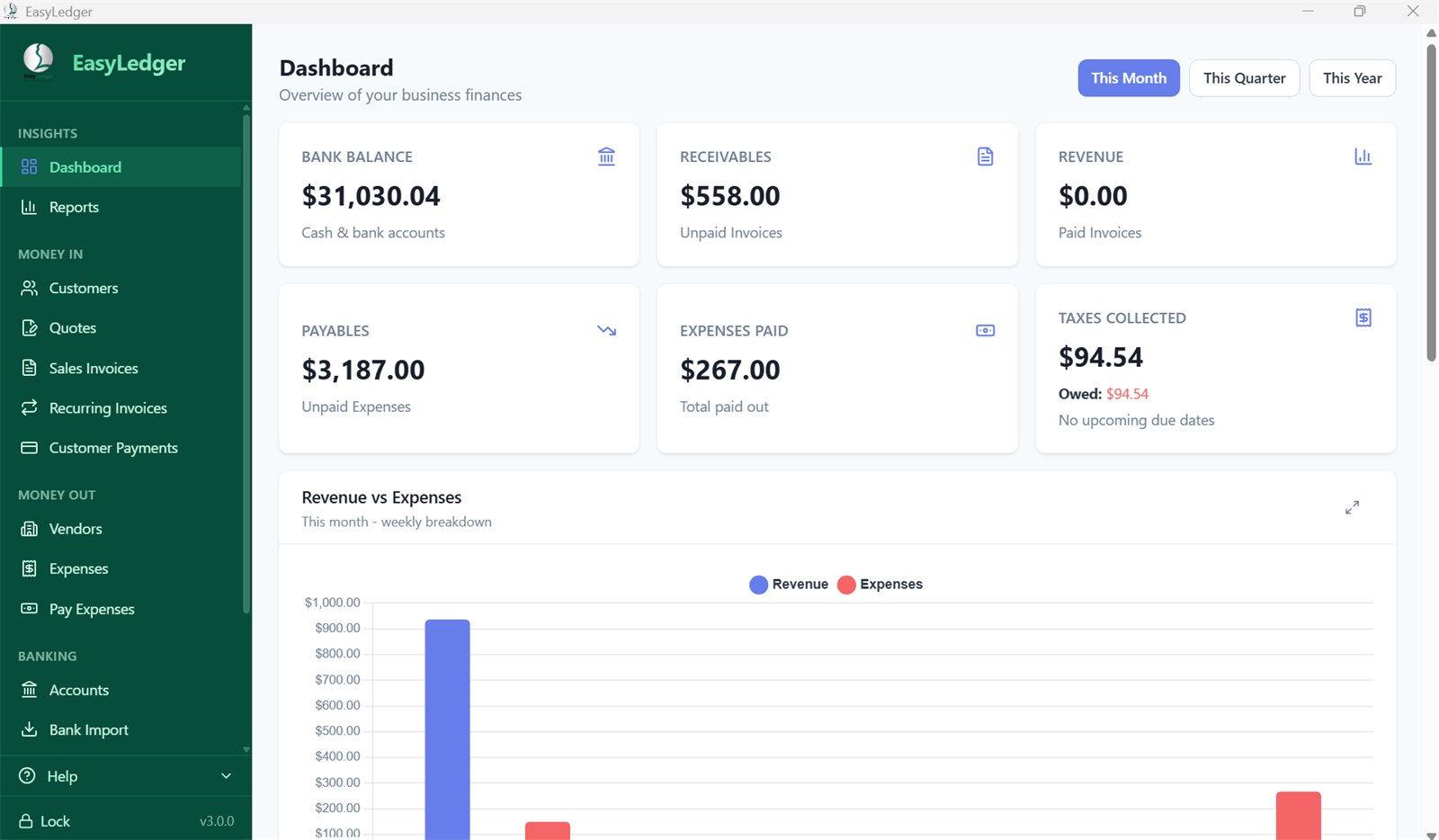
EasyLedger is for the owner who wants the books on their own computer and wants to stop paying rent on the software. It covers invoicing, quotes, expenses with receipts attached, customers and vendors, bank statement import and reconciliation, check printing, sales tax tracking and the core reports: profit and loss, balance sheet and cash flow. It backs up your books automatically every day and can lock behind a PIN. Email support is included with every license, so there is someone to ask when you get stuck.
The limits are worth stating plainly. Each license runs on 1 computer at a time, and we move it for you when you replace the machine. There is no live bank connection, by design, so your banking login never leaves your hands. And it is built for everyday small-business accounting on one computer, not for payroll, inventory or a large team working in the books together.
Coming from a cloud tool? EasyLedger imports your customers and vendors from any CSV file, including exports from QuickBooks, Xero, Wave and FreshBooks, and it imports bank statements in CSV, OFX, QFX and QIF formats.
About EasyLedger
EasyLedger is desktop accounting software for small businesses, freelancers and contractors. You buy it once, from $299, your books stay on your own computer, and it runs on Windows, Mac and Linux. Try every Basic feature free for 30 days, with no credit card required.
Keep your books on your own computer. Try every Basic feature of EasyLedger free for 30 days, with no credit card required.
Frequently asked questions
Is there accounting software that is not cloud-based?
Yes. Installed desktop programs keep your books in a file on your own computer instead of on a vendor's servers. Current examples are EasyLedger, GnuCash, AccountEdge Pro, Sage 50 and QuickBooks Desktop Enterprise.
Is there non-cloud accounting software without a subscription?
Yes. GnuCash is free. EasyLedger is a one-time purchase of $299 for the Basic license or $398 for Pro, with no monthly or annual fee.
Can I still buy QuickBooks Desktop?
Only partly. Intuit stopped selling new subscriptions to QuickBooks Desktop Pro Plus, Premier Plus and Mac Plus in the United States after September 30, 2024. Existing subscribers can keep renewing. QuickBooks Desktop Enterprise is still sold, on a monthly or annual subscription.
Does non-cloud accounting software work without internet?
For daily work, usually yes, but many desktop programs still go online now and then. AccountEdge Pro must connect at least once a month to confirm its subscription. EasyLedger needs a connection periodically to validate the license and download updates.
Is non-cloud accounting software more secure?
It changes who is responsible. Your books are not stored on a vendor's servers, so a breach of those servers cannot expose them. In exchange, the security and the backups of your own computer become your job.
Related reading
- QuickBooks Alternatives Without a Subscription
- One-Time Purchase Accounting Software
- A Subscription Is Not a Price. It Is a Rate.
Sources: GnuCash features, GnuCash FAQ,AccountEdge pricing, Sage 50 desktop, Intuit's QuickBooks Desktop stop-sell notice and QuickBooks Desktop Enterprise. All checked in November 2026.